
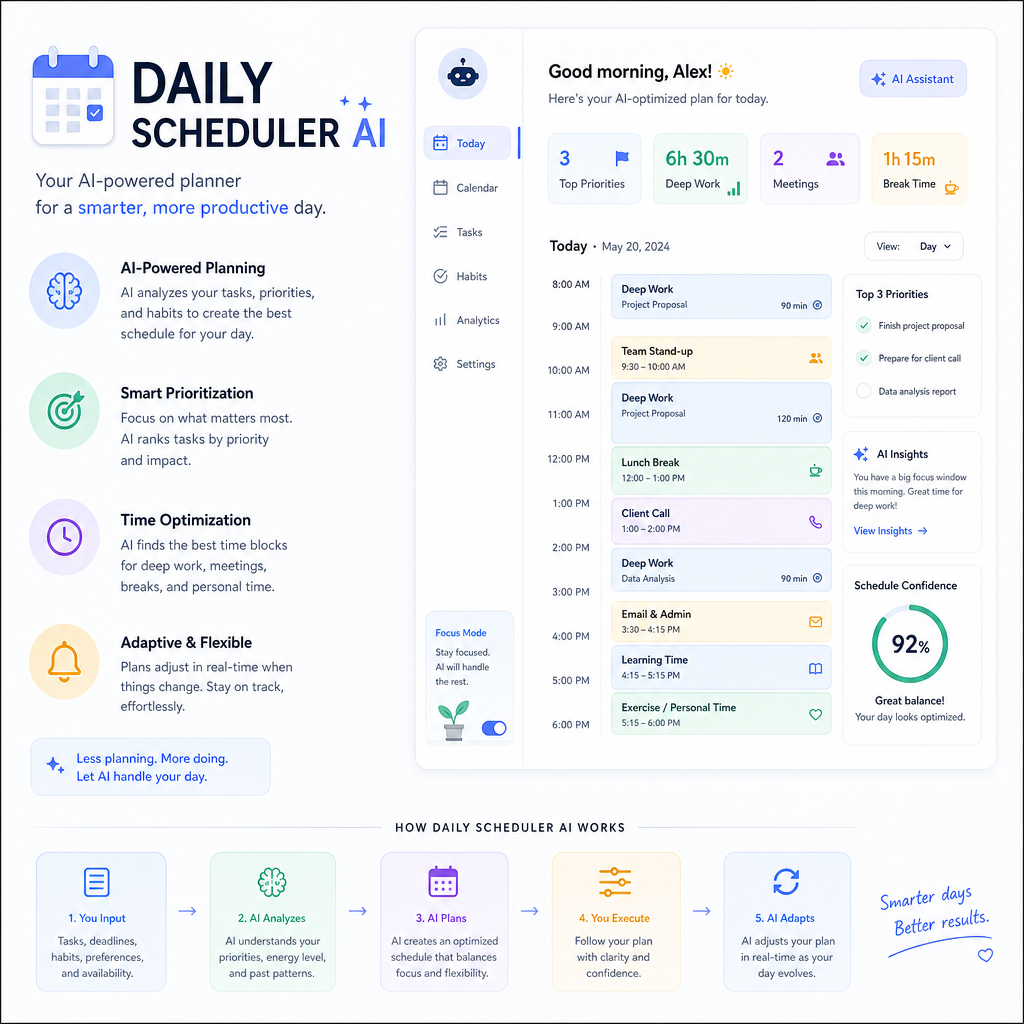
📌 BLOG POST #1 — Daily Scheduling With AI
Daily Scheduling With AI: A Complete Beginner’s Guide
Learn how to turn AI into your personal daily planner.
Introduction:
If you’ve ever struggled with planning your day, staying organized, or knowing what to do first, AI can help. This guide will show you how to use AI to create simple, clear daily schedules — no planning skills required.
Full Content:
⭐ Daily Scheduling With AI — A Complete Beginner’s Guide
(For people with zero experience in planning or AI)
This guide will teach you how to use AI as a personal daily planner that:
- Organizes your tasks
- Builds a schedule
- Prioritizes what matters
- Adds reminders
- Adjusts the plan when life changes
- Helps you stay consistent
All you need to do is tell AI your tasks.
🧩 1. Start With the Core Prompt (The Daily Planner Template)
You can copy/paste this:
“Create a simple daily schedule for me.
Here are my tasks: [list tasks].
Include time blocks, breaks, priorities, and a short summary.”
AI will generate a full schedule like:
- 9:00–9:30 — Email
- 9:30–10:30 — Project work
- 10:30–10:45 — Break
- 10:45–12:00 — Errands
- etc.
This is the foundation.
🧱 2. Add Priorities (AI Does the Thinking)
You can say:
“Sort my tasks into high, medium, and low priority before scheduling them.”
AI will reorganize everything automatically.
This will teach you how to let AI think for you.
🔁 3. Ask AI to Adjust the Schedule Anytime
If something changes:
“I only have 3 hours today.
Please shorten my schedule and keep the most important tasks.”
Or:
“I’m feeling tired.
Make my schedule lighter and add more breaks.”
AI adapts instantly.
🧠 4. Ask AI to Add Reminders & Motivation
You can say:
“Add gentle reminders and motivational notes to my schedule.”
AI will add things like:
- “Take a deep breath before starting.”
- “You’re doing great — keep going.”
- “Drink water.”
This makes the schedule feel supportive, not strict.
🗂️ 5. Ask AI to Create a Weekly Overview
At the start of the week:
“Create a weekly plan for me based on these tasks.
Spread them out evenly and avoid overwhelming days.”
AI will:
- Distribute tasks
- Balance workload
- Add rest days
- Suggest improvements
This teaches long‑term planning.
📊 6. Ask AI to Review Your Day
At the end of the day:
“Review my day.
What did I complete?
What should I move to tomorrow?
Give me a short reflection.”
AI will:
- Analyze
- Encourage
- Suggest improvements
- Build tomorrow’s plan
This builds consistency.
🔮 7. Ask AI to Predict Time Needs
People often underestimate time.
AI can fix that:
“Estimate how long each task will take based on typical times.
Adjust my schedule accordingly.”
AI will:
- Add realistic time blocks
- Prevent overloading
- Improve accuracy
This teaches time awareness.
🛠️ 8. Automate Everything With One Daily Prompt
Once you’re comfortable, you can use this single prompt:
“Here are my tasks today: [list].
Create my schedule, prioritize tasks, add breaks, estimate time, and give me a short summary.”
AI will do everything in one go.
🎉 Your Daily Scheduling Guide Is Complete
Take everything you learned above and put it into action using this simple, interactive daily scheduler. No downloads, no setup — just type, plan, and go.
Daily Scheduler (Full Day + Collapsible)
Come back tomorrow for Day 2 of the Practical AI Skills series — we’re just getting started.
Leave a Reply